
How to Choose an iPad Stand: For Streaming, Drawing, and Work

Tablets are no longer just for watching shows.
From YouTube and video calls to digital drawing, handwritten notes, and even working alongside a laptop as a second display, a single tablet often serves as an entertainment hub, creative tool, and mobile workstation.
But the more you use one, the more you may notice that the tablet itself isn't the only thing shaping the experience.
The stand matters, too.

If the screen sits too low, you may find yourself constantly looking downward while watching videos. If the stand isn't stable enough, writing or drawing with an Apple Pencil can feel awkward. And if the stand is too bulky or heavy, you're less likely to carry it with you every day.
So, how do you choose the right tablet stand?
Rather than simply comparing how many adjustment positions a stand offers, start with a more practical question:
How do you actually use your tablet?
In this guide, we'll look at three common scenarios—streaming and video calls, drawing and note-taking, and mobile work—to help you understand which tablet stand features matter most for you.
Table of Contents
Streaming & Video Calls: Flexible Viewing Angles
Watching a movie from the sofa, sitting at a desk with YouTube, and joining a quick video meeting might all involve simply "propping up your tablet."
But each situation calls for a different viewing angle.
Many people lean their tablet against a wall, mug, book, or whatever happens to be nearby. That may work for a few minutes, but over longer sessions, you may notice that the screen sits too low or at an uncomfortable angle.
When the display is positioned too low, you may also find yourself tilting your head forward to see it more clearly.

If you primarily use your tablet for streaming, video calls, reading, or browsing social media, consider these three things when choosing a stand:
Adjustment range: Can you find a comfortable viewing position whether you're sitting, standing, or relaxing on the sofa?
Portrait and landscape switching: Portrait mode works well for video calls, reading, and social media, while landscape mode is often better for movies, YouTube, and other video content.
Ease of adjustment: Can you change positions quickly without taking the stand apart or repeatedly repositioning your entire setup?
A good tablet stand shouldn't just hold your device securely. It should adapt naturally to the way you're using it.

You might join a video call in portrait mode one moment and switch to landscape for a movie the next.
Being able to make that transition quickly makes everyday tablet use much more intuitive.
Drawing & Note-Taking: Stability Matters
If you regularly use an iPad with an Apple Pencil for drawing, taking notes, or annotating documents, pay particular attention to writing angle, stability, and how the tablet is secured.
When drawing or writing, the tablet's angle affects both how you position your hand and how you view the screen.
Rather than simply raising the display, the goal is to find an angle that feels natural for the way you write or draw.

For an iPad or tablet stand intended for creative work, consider these three areas:
A comfortable writing angle
A lower, gently inclined position can make a tablet feel more like a drawing board or writing surface, while giving you flexibility to adjust it for different tasks.
Secure device support
When you're writing, tapping, or drawing, the tablet shouldn't constantly slide or shift. A secure mounting or support system can make interaction feel much more controlled.
A useful adjustment range
Reading, handwriting, sketching, and viewing reference material don't necessarily require the same angle. A wider adjustment range gives one stand more flexibility across different tasks.
For people who regularly use apps such as Procreate, Goodnotes, or Notability, the right stand can help position the iPad more naturally for viewing, writing, and creating.
Mobile Work: Build a Second-Screen Setup Anywhere
If you work on the go with a laptop and tablet, bulky desktop stands add unnecessary weight and volume.
Traditional desktop tablet stands can offer excellent stability, but they can also add noticeable weight and volume.
That's perfectly fine if the stand stays on a permanent desk. But if you commute every day, work from cafés, or travel frequently, that extra bulk can quickly become inconvenient.
For mobile workers, consider whether a tablet stand:
stays thin and lightweight when folded;
can remain attached to or travel together with the tablet;
opens and closes quickly;
supports multiple useful viewing positions; and
can be positioned comfortably alongside a laptop when used as a second display.
For example, if you use an iPad alongside a MacBook as a second screen, adjusting the tablet to an appropriate position can make it easier to move your attention between the two displays.
Messages, reference material, meetings, and design previews can remain visible without leaving the iPad lying flat on the desk.

For mobile work, an ideal tablet stand should be easy to deploy when needed and slim enough to disappear into your everyday carry when you're finished.
Which iPad Stand Is Right for You?
If you're still unsure which type of tablet stand fits your needs, start with the way you use your tablet most often.
Use Case | What to Prioritize |
Streaming / YouTube | Multiple viewing angles, easy landscape viewing |
Video Calls / Social Media | Portrait support, quick orientation changes |
iPad Drawing | Stability, lower drawing angles |
Handwritten Notes | Grip and stability, comfortable writing angle |
Home Office | Stability, broad adjustment range |
Cafés / Business Travel | Slim profile, portability, quick setup |
Tablet as a Second Display | Viewing-angle adjustment, portability |
There isn't one universally "best" tablet stand. What matters is how well the stand adapts to the way you actually use your device.
If your tablet moves between streaming, handwriting, drawing, and work throughout the day, a design that combines adjustability, stability, and portability will generally offer greater flexibility.
👉 For Every Scenario: Find Your Angle and Switch Seamlessly Between Streaming, Creating, and Working
Majextand M: One Stand for Multiple Devices and Use Cases
When your tablet doubles as an entertainment screen, digital notebook, drawing surface, and second monitor, it makes sense for its stand to work across more than one scenario.
That idea sits at the heart of Majextand M: designing the stand to become part of the device rather than another accessory you have to remember to carry.

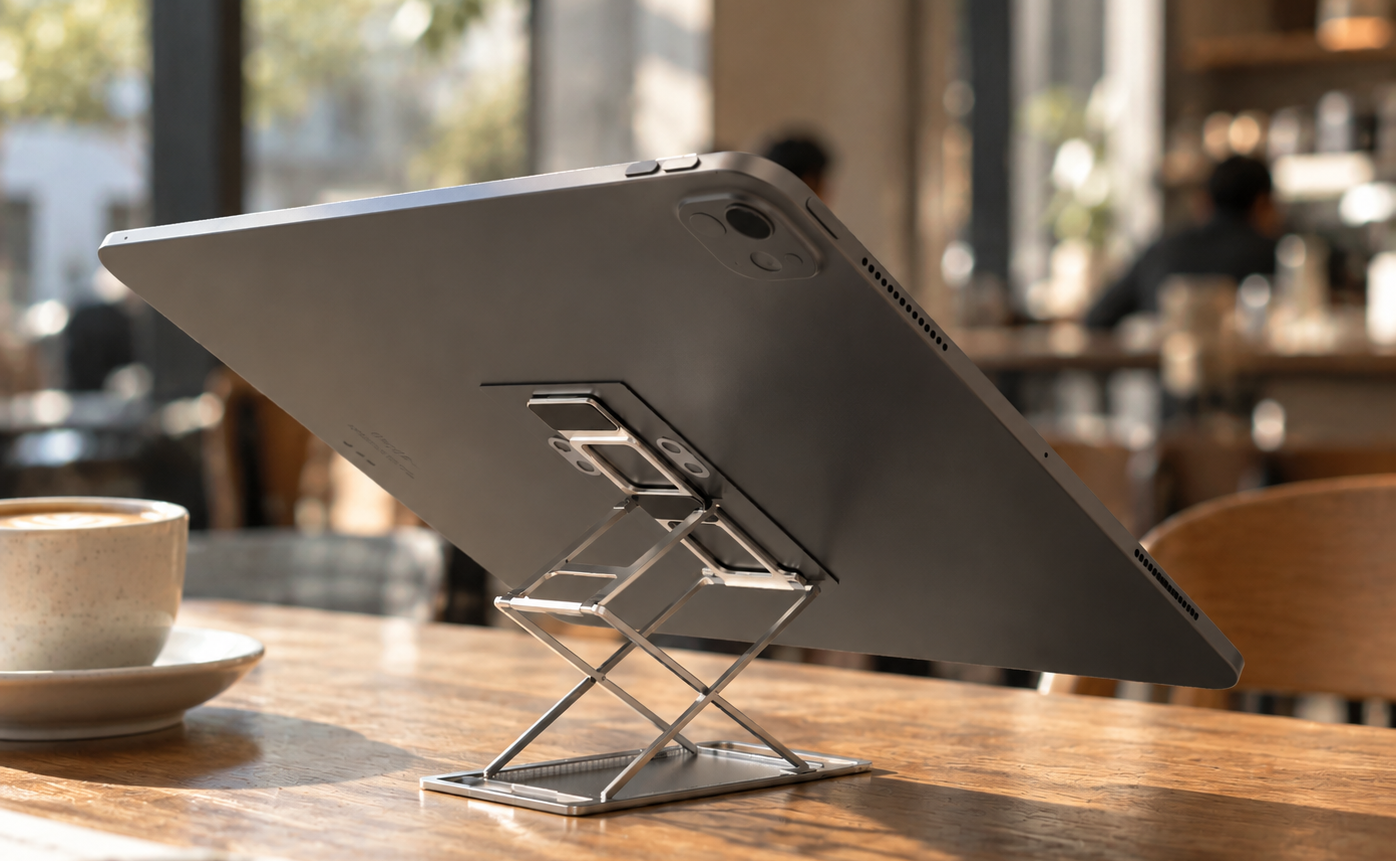
Unlike a conventional desktop stand that has to be packed separately, Majextand M uses a slim, device-mounted design that travels with your device.
When you need it, simply unfold it and adjust the device for the way you're using it.
Streaming: Switch Between Portrait and Landscape
Easily flip between portrait mode for social media and calls, and landscape for movies. One versatile stand handles all your entertainment needs.
Drawing & Notes: Find Your Natural Angle
Adjust the tilt for writing, sketching, or reading without holding the screen or keeping it flat on your desk.
Work: Instantly Expand Your Mobile Workspace
Turn your tablet into a second display or reference screen at a café or while traveling. Unfold the Majextand M in seconds, and fold it flat when you're done.
One Stand for Every Scenario
Why carry three different stands? A truly practical tablet stand is there when you need it—and disappears when you don't.

Four Things to Consider Before Choosing a Tablet Stand
Before choosing your next tablet stand, come back to four practical questions:
Is it comfortable to view? Is it stable enough to use? Can I adjust it the way I need? Will I actually carry it every day?
If you primarily watch movies and shows at home, viewing angles and stability may matter most.
If you frequently draw or take handwritten notes, prioritize secure support and comfortable writing angles.
And if your iPad travels with you every day, portability and a slim folded profile may matter more than having the longest possible feature list.
Specifications matter, but everyday usability often comes down to something much simpler: how effortless the stand feels every time you open it, adjust it, use it, and put it away.
The right stand should naturally fit into the way you watch, create, and work.
Majextand M FAQ
Q: Does Majextand M interfere with mobile payments (Apple Pay, Google Pay, etc.)?
A: No. It does not interfere with contactless payments. (Note: If your phone has a rear fingerprint sensor, check its position before applying the mounting sheet to keep it accessible.)
Q: Can the docking sheet be reused? Will it leave residue?
A: Yes. The washable adhesive can be reapplied around 10–20 times on clean surfaces. If adhesion weakens, simply wash with water and air-dry to restore it. It is device-friendly and removes cleanly without leaving residue or damaging surfaces.

Comments